Find and Replace Text with Regex and Multiple Rules

Clean up text or code with several find-and-replace rules at once, with case-sensitive, whole-word and regular expression options.
Open the free Find & Replace Text (with regex) →What is the Find & Replace Text?
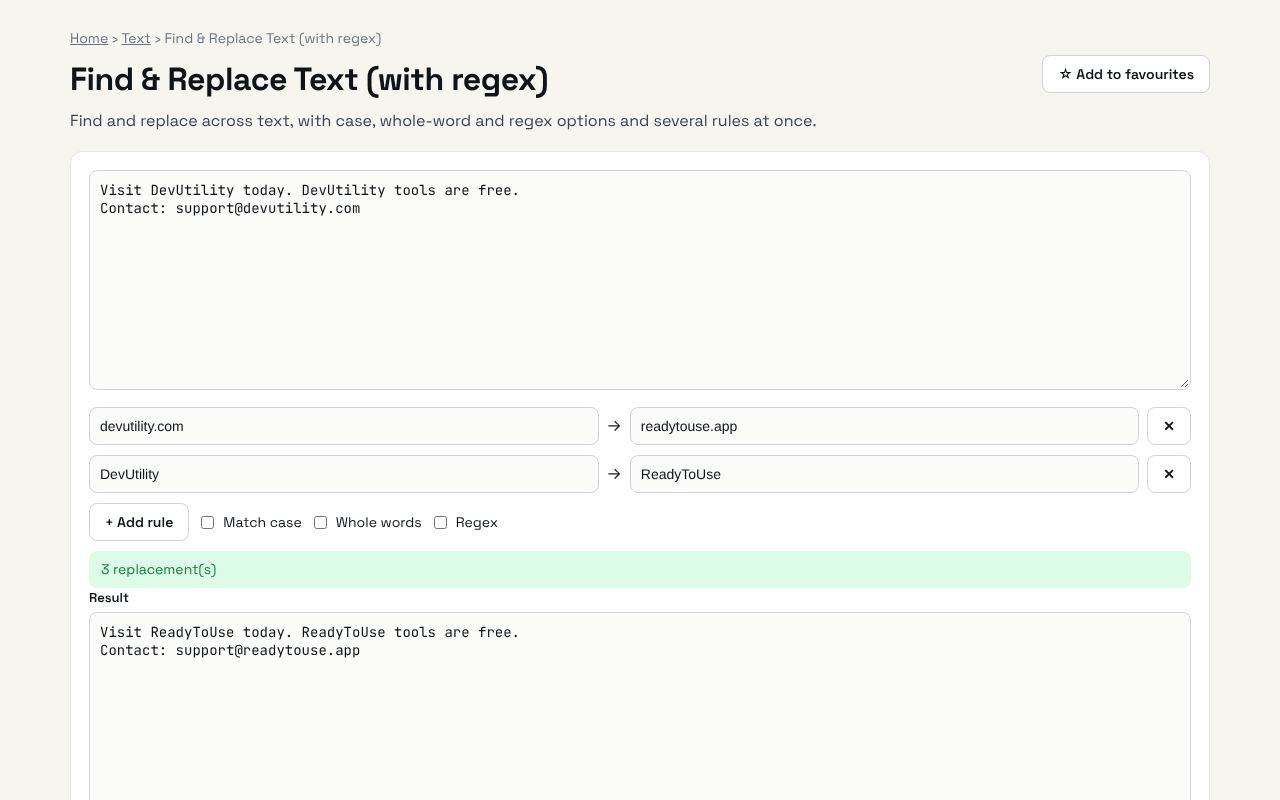
Find and replace across text, with case, whole-word and regex options and several rules at once. It's completely free, needs no sign-up and works on any phone or computer.
Why it's helpful
- Multiple rules in one pass
- Regex support
- Case and whole-word options
Who it's for
Writers, developers, data cleaners and office workers.
How to use it
- Paste text and add one or more find → replace rules. They run in order.
- In regex mode you can use $1, $2 for captured groups.
💻 Open source: this tool is free and open source (MIT License). View the code on GitHub, download it and run it offline.
The bigger picture: Text
Writing is everywhere: posts, emails, essays and product pages. Simple text tools help you hit length limits, clean up content and write more clearly.
What's changing: With AI drafting more text, editing tools that check clarity, length and tone are becoming the final quality step.
Frequently asked questions
Can I replace line breaks?
Yes. Turn on Regex and search for \n.