Diff Checker: Compare Two Texts and Highlight Changes
What changed between two versions of a contract, email or code file? Paste both and see added and removed lines, words or characters highlighted.
Open the free Diff Checker →What is the Diff Checker?
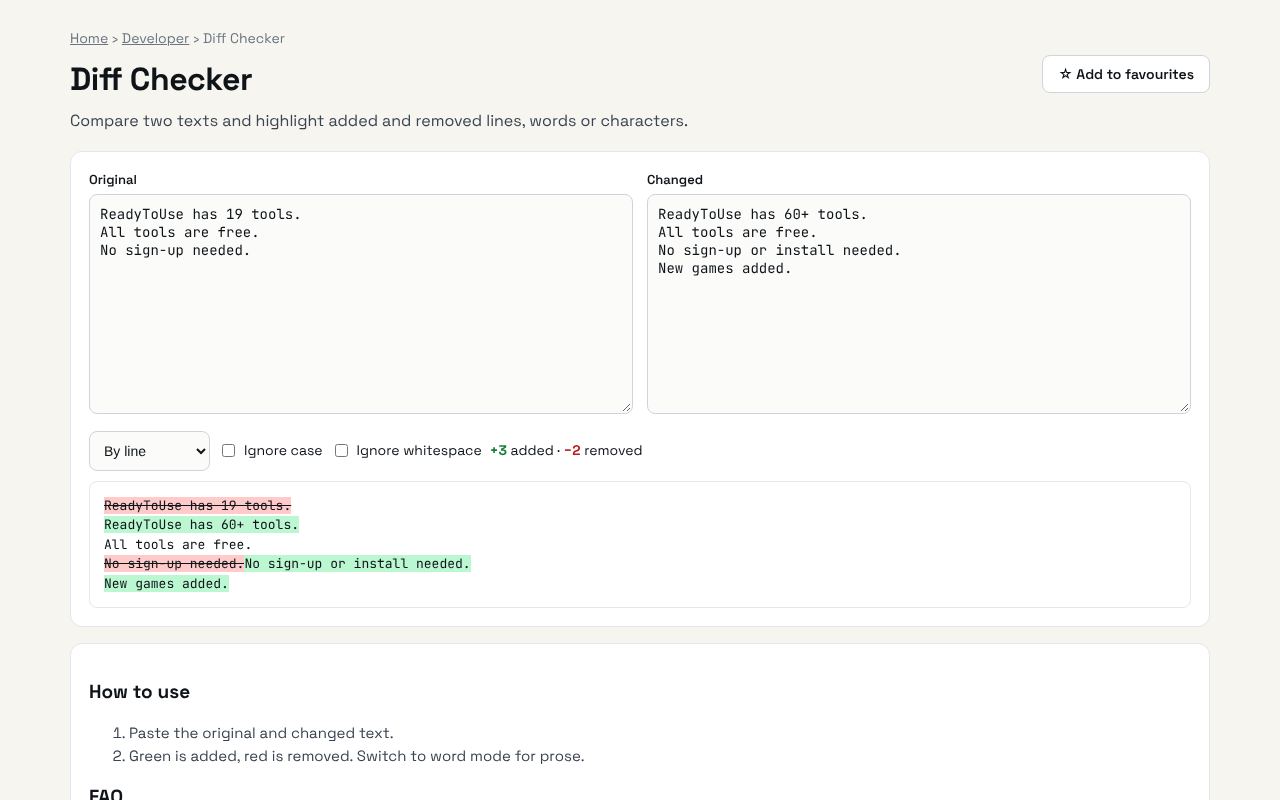
Compare two texts and highlight added and removed lines, words or characters. It's completely free, needs no sign-up and works on any phone or computer.
Why it's helpful
- Line, word and character comparison
- Spot small edits in long documents
- Private: nothing is uploaded
Who it's for
Writers, lawyers, developers and anyone comparing versions.
How to use it
- Paste the original and changed text.
- Green is added, red is removed. Switch to word mode for prose.
💻 Open source: this tool is free and open source (MIT License). View the code on GitHub, download it and run it offline.
The bigger picture: Developer
Developers lose a surprising amount of time to small tasks: formatting data, decoding tokens, converting between formats and checking syntax. Fast in-browser tools keep you in flow and keep sensitive data off third-party servers.
What's changing: AI coding assistants now write a lot of code, but developers still need quick, trustworthy tools to inspect and verify what comes out: formatters, validators and decoders matter more, not less.
Frequently asked questions
Is my text uploaded?
No. The comparison runs in your browser.