Extract a Colour Palette from Any Photo or Logo
Pull the main colours from a photo, logo or screenshot and copy their HEX codes, perfect for matching a brand or building a design from a photo you love.
Open the free Color Palette Extractor from Image →What is the Color Palette Extractor from Image?
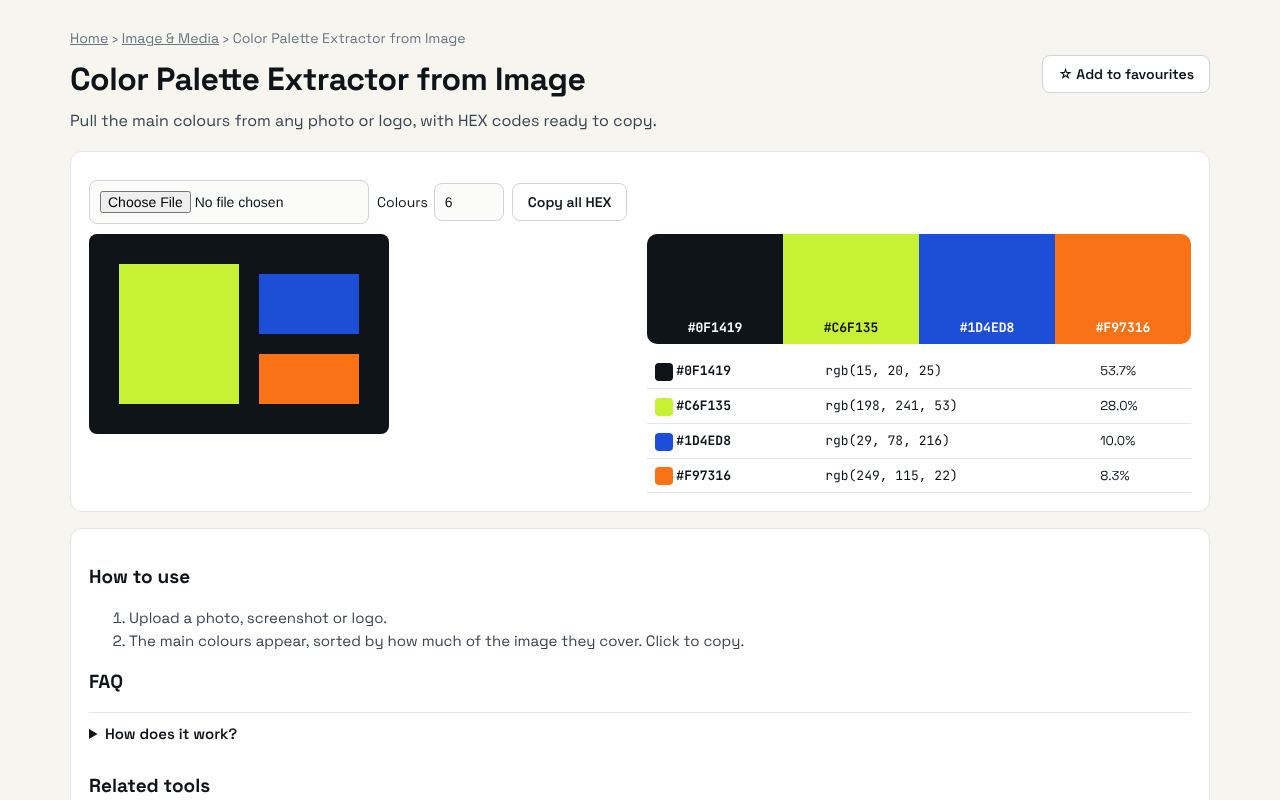
Pull the main colours from any photo or logo, with HEX codes ready to copy. It's completely free, needs no sign-up and works on any phone or computer.
Why it's helpful
- Finds the dominant colours
- Copy HEX codes
- Works offline in your browser
Who it's for
Designers, brand owners and developers.
How to use it
- Upload a photo, screenshot or logo.
- The main colours appear, sorted by how much of the image they cover. Click to copy.
💻 Open source: this tool is free and open source (MIT License). View the code on GitHub, download it and run it offline.
The bigger picture: Image & Media
Images and video drive social media and websites, but every platform wants a different size and format. In-browser tools resize, convert and polish media without uploading private photos.
What's changing: Modern formats like WebP and AVIF are replacing heavy JPGs on the web, making pages faster, especially on mobile.
Frequently asked questions
How does it work?
It groups similar pixels with k-means clustering, all on your device.
Related guides