SVG Optimizer: Shrink SVG Files for Faster Websites
SVGs exported from design tools are often full of metadata and extra precision. Remove the clutter and shrink files without changing how they look.
Open the free SVG Optimizer →What is the SVG Optimizer?
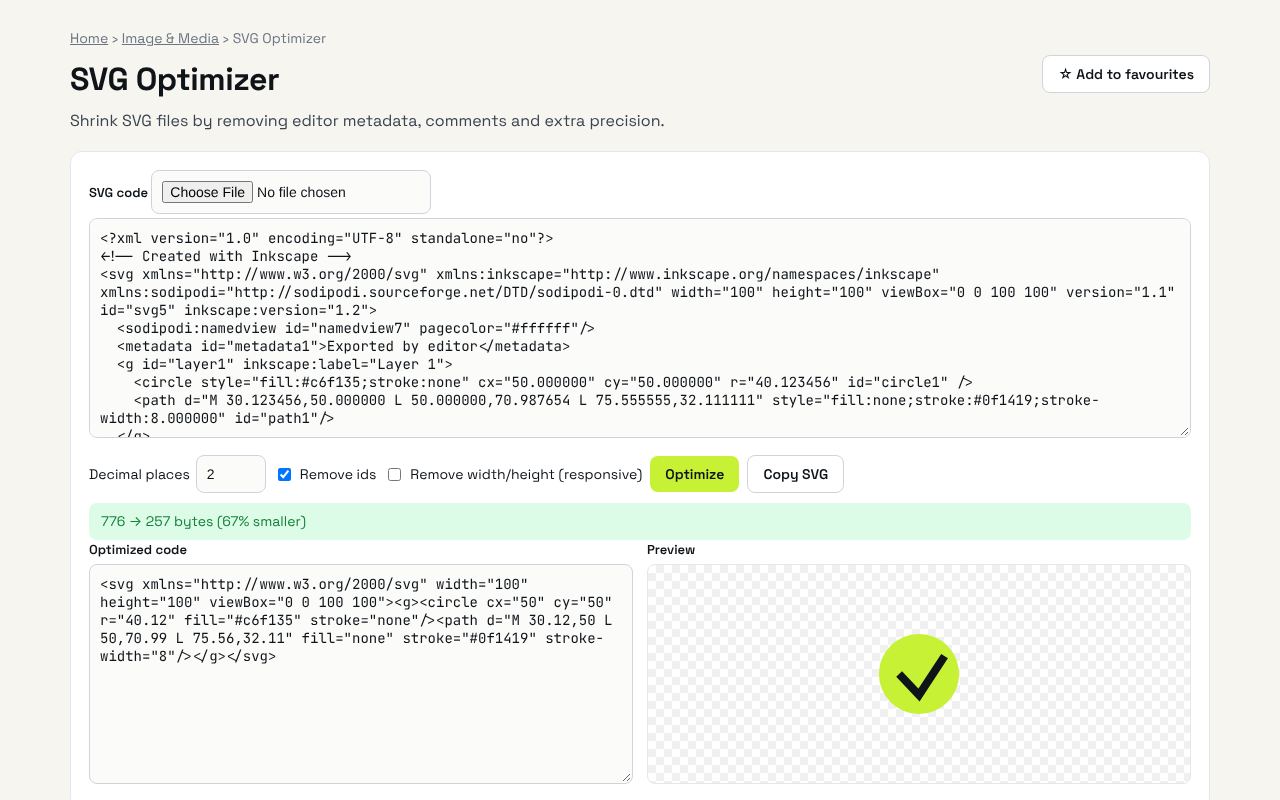
Shrink SVG files by removing editor metadata, comments and extra precision. It's completely free, needs no sign-up and works on any phone or computer.
Why it's helpful
- Removes editor metadata and comments
- Reduces number precision
- Shows the size saved
Who it's for
Web developers and designers.
How to use it
- Paste SVG code or load an .svg file and click Optimize.
- Check the preview, then copy the optimized code.
💻 Open source: this tool is free and open source (MIT License). View the code on GitHub, download it and run it offline.
The bigger picture: Image & Media
Images and video drive social media and websites, but every platform wants a different size and format. In-browser tools resize, convert and polish media without uploading private photos.
What's changing: Modern formats like WebP and AVIF are replacing heavy JPGs on the web, making pages faster, especially on mobile.
Frequently asked questions
Is it as strong as SVGO?
It handles the common bloat (editor metadata, comments, precision, inline styles). SVGO can go further on complex files.
Related guides